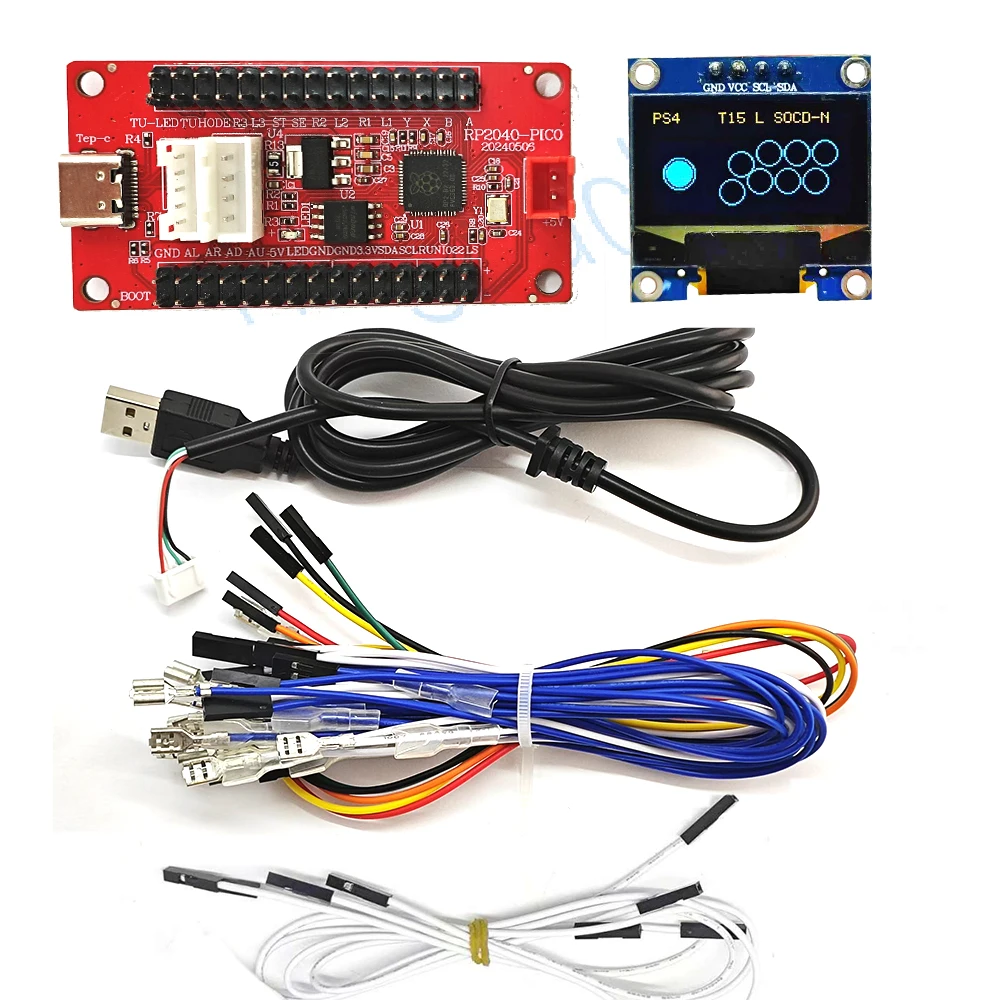
Raspberry Pi Pico Zero USB Board with Encoder for PC PS4 Switch Arcade Joystick Hitbox Controller Oled Cable DIY Gaming Parts Ki
DescriptionProduct features:Compatible with PS4/PS3/Switch/PC computers/Android phonesPS4 program key has been added, bootless, with SOCD post overwrite modeKey Introduction1) HOME key * 1: Turn on the controller or execute commands from the host.2) Direction keys * 1 group: up, down, left, and right.3) Function control keys * 4: A, B, Y, X.4) 4 function keys: R1/L1/R2/L2/SELECT/START/L3/R36) 1 combo key: TUBRO key (combo), press TUBRO onceClick CLEAR (Clear)Mode switchingPress and hold the A ke
- Complete educational DIY robotics platform package
- Multiple degrees of freedom for realistic humanoid or quadruped movement
- Supports visual Scratch coding for beginners and Python for advanced users
- Equipped with high-performance metal gear servos and smart controllers
- Sturdy structural frame designed to withstand impact and stress
- Comprehensive step-by-step tutorials and rich sample code library
- Easily expandable with external sensors, cameras, and grippers
Need help before you buy?
Call iBuyRobotics for product guidance, compatibility questions, bulk orders, or support.
(855) I-BUY-ROBO (855) 428-9762Use Cases
STEM classrooms, programming labs, motion control algorithms, autonomous navigation testing, and personal learning projects.
Compatibility Notes
Fully programmable via Scratch visual block editor, Python, or C++ APIs. Requires rechargeable batteries and a desktop computer for code uploads.
Frequently Asked Questions
No, the kit features plug-and-play electronic connections and mechanical screw fasteners, making assembly clean and safe.
This kit is ideal for students aged 12 and up due to its assembly complexity, and younger builders with adult guidance.
Yes, all sample scripts, library wrappers, and firmware configurations are open-source and available for custom modifications.
Related Products
Other products in Robots that you may find useful.