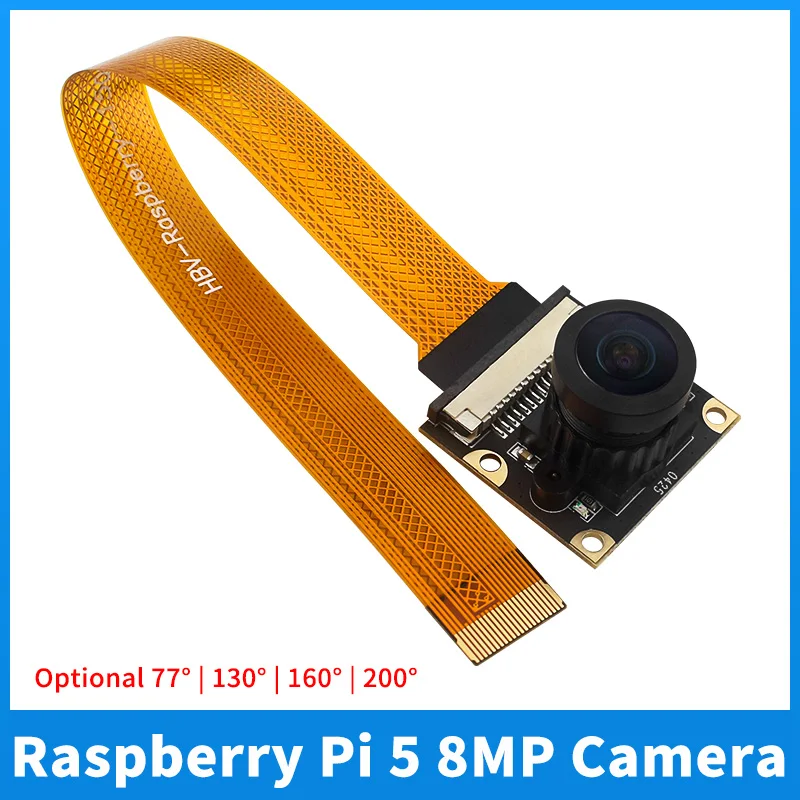
Raspberry Pi 5 8MP Camera IMX219 Sensor Chip CSI Interface 77° 130° 160° 200° Camera Webcam for Raspberry Pi 5 Zero W 2W
Raspberry Pi 5 8MP Camera IMX219 Sensor Chip CSI Interface 77° 130° 160° 200° Camera Webcam for Raspberry Pi 5 Zero W 2WFeature1. Raspberry Pi 5 Camera 2. Photosensitive Chip: IMX219 3. Pixel: 8MP 4. Aperture (F): 2.0 5. Diagonal angle : 77 degree / 130 degree / 160 degree / 200 degree6. Working temperature: -20 °~70 °Usage MethodUsage of Raspberry Pi's new system camera OV5647 or IMX219If using the latest Bookworm system, you need to configure sudo nano/boot/firmware/config.txtAfter enter
- High-precision sensing output for advanced robotic control
- Dual-voltage logic compatibility supporting 3.3V and 5.0V inputs
- Integrates easily with standard I2C and SPI serial interfaces
- Ultra-compact form factor suitable for miniature space setups
- Factory-calibrated for immediate out-of-the-box prototyping
- Low power consumption ideal for battery-operated smart devices
- Robust electromagnetic interference (EMI) shield shielding
Need help before you buy?
Call iBuyRobotics for product guidance, compatibility questions, bulk orders, or support.
(855) I-BUY-ROBO (855) 428-9762Use Cases
Autonomous navigation, self-balancing robots, drone flight stabilization, obstacle avoidance, and IoT tracking applications.
Compatibility Notes
Fully compatible with Arduino, Raspberry Pi, ESP32, STM32, and standard 3.3V/5V microcontroller logic levels.
Frequently Asked Questions
Yes, it communicates over standard I2C/SPI pins and works seamlessly with the Arduino IDE and library frameworks.
It is designed to work safely on both 3.3V and 5V power rails, offering wide logic-level compatibility.
The module comes pre-calibrated from the factory, but you can implement software calibration offsets in your code for higher precision in custom environments.
Related Products
Other products in Sensors that you may find useful.