What Makes a Robot Tick?
At its core, a robot is a system designed to perform tasks autonomously or semi-autonomously. To do this, it relies on a carefully orchestrated collection of components, each playing a vital role. Understanding these parts is the first step to building, programming, or even just appreciating the complexity of modern robotics.
The Brain: Control Systems
Discover how microcontrollers and processors serve as the central nervous system, processing information and making decisions.
The Muscles: Movement & Action
Learn about motors, actuators, and mechanisms that provide robots with the power and precision to move and manipulate.
The Senses: Perception & Data
Explore the world of sensors – from proximity to vision – that allow robots to gather information about their environment.
The Structure: Body & Power
Understand the physical framework, chassis, and power systems that provide stability and energy to the entire robotic system.
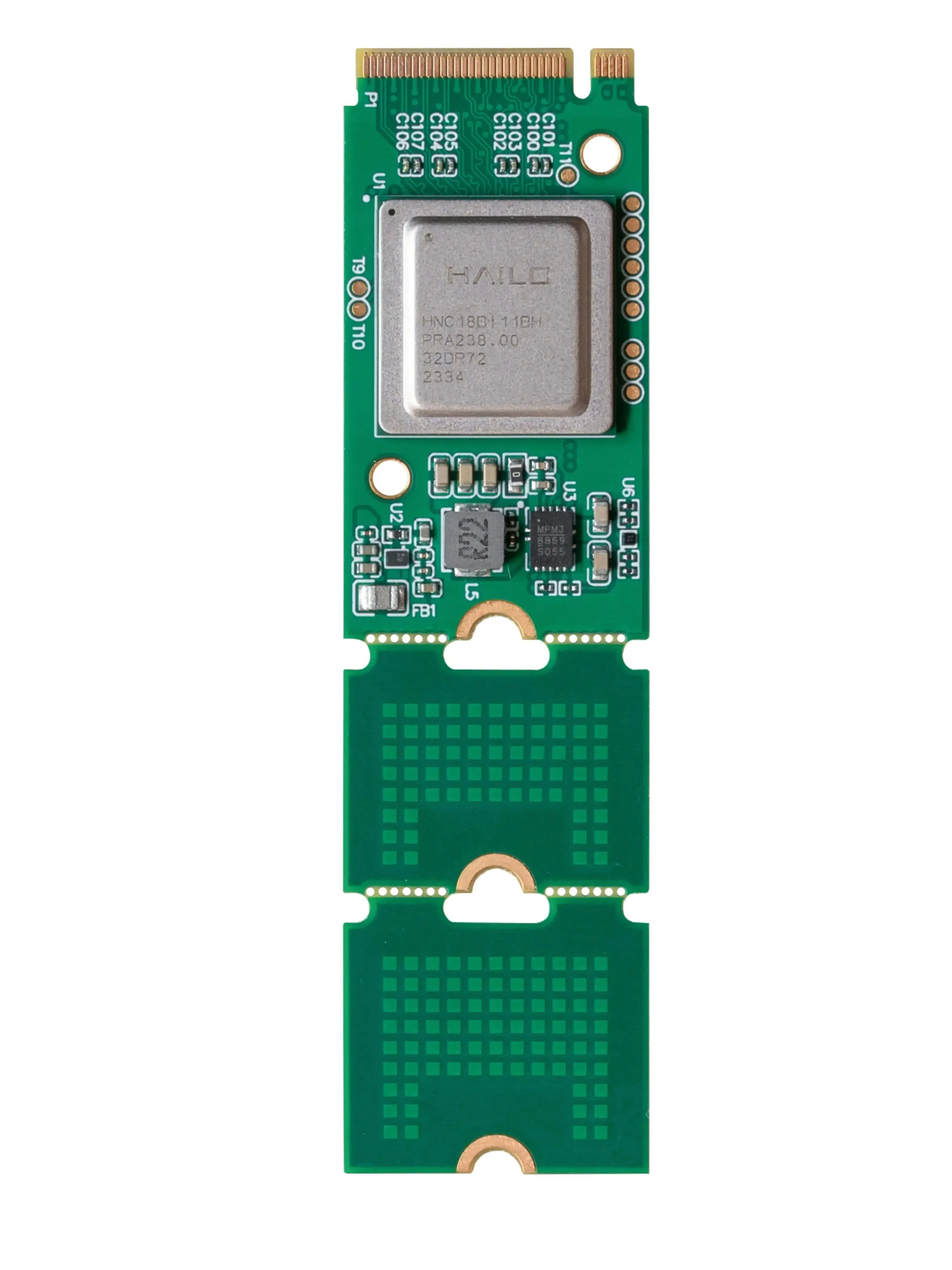
 The microcontroller is the central processing unit, the 'brain' of your robot.
What's the Brain of a Robot? The Controller
Every robot needs a brain to process information, make decisions, and execute commands. This role is typically filled by a microcontroller or a more powerful single-board computer (SBC). Think of it as the central nervous system, receiving input from sensors, interpreting instructions, and sending signals to the motors and other components.
For simpler robots, a microcontroller like an Arduino might be sufficient, offering real-time control and direct interaction with hardware. More complex robots, especially those requiring advanced computation, machine learning, or vision processing, often utilize SBCs like a Raspberry Pi, which run full operating systems.
While often used interchangeably in casual conversation, a microcontroller is a compact integrated circuit designed to govern a specific operation in an embedded system. It contains a processor core, memory, and programmable input/output peripherals on a single chip. An microprocessor, on the other hand, is just the processing unit itself, requiring external memory and peripherals to function as a complete system. Microcontrollers are ideal for real-time control tasks in robotics, while microprocessors are found in more general-purpose computing, often as part of a larger SBC.
Choosing the right controller is crucial for your robot's capabilities. Learn more about these vital components in our dedicated guide: What's the Brain of a Robot? Microcontrollers & Control Systems.
What Holds a Robot Together? The Structure (Chassis & Frame)
Just like a skeleton provides support for a living creature, a robot's chassis or frame provides the structural integrity and mounting points for all its components. This physical foundation determines the robot's size, shape, weight distribution, and overall durability. Materials can range from lightweight plastics and aluminum for hobby robots to robust steel and composites for industrial applications.
A well-designed chassis ensures that motors, sensors, and other parts are securely mounted and properly aligned. It also protects internal electronics from environmental factors and physical impact. The design often incorporates modularity, allowing for easy assembly, maintenance, and future upgrades.
 The chassis provides the essential framework, supporting all other components.
 Motors and actuators are the 'muscles' that enable a robot to move and perform actions.
How Do Robots Move? Motors & Actuators
Movement is often what first comes to mind when we think of robots. This movement is powered by motors and actuators, which convert electrical, hydraulic, or pneumatic energy into mechanical force. They are the 'muscles' that allow a robot to drive, lift, grip, rotate, and articulate its various parts.
Common types include DC motors for continuous rotation, stepper motors for precise angular control, and servo motors for controlled positioning. Actuators can also be linear, like solenoids or pneumatic cylinders, providing pushing or pulling forces. The choice depends heavily on the required speed, torque, precision, and power source.
What kind of movement does your robot need?
For Continuous Rotation: DC Motors or Brushless DC Motors
If your robot needs to drive wheels or spin propellers, standard DC motors or more efficient brushless DC (BLDC) motors are excellent choices. They offer continuous rotation and can be paired with gearboxes for increased torque. Consider their RPM and current draw.
For Precise Angle Positioning: Servo Motors or Stepper Motors
For robotic arms, camera gimbals, or any application requiring exact angular control, servo motors provide closed-loop feedback for precise positioning. Stepper motors offer high torque at low speeds and open-loop control for repeatable steps.
For Linear Push/Pull: Solenoids or Linear Actuators
When you need to push, pull, or clamp, linear actuators (electric, pneumatic, or hydraulic) or simple solenoids are the way to go. They convert rotational motion into linear motion or provide a direct linear force.
The selection of the right motor or actuator is critical for your robot's performance and efficiency. Dive deeper into the options with our comprehensive guide: How Do Robots Move? Understanding Motors & Actuators.
This versatile geared DC motor provides excellent torque for mobile robot bases and simple articulated joints, making it a great starting point for many projects.
How Do Robots Sense Their World? Sensors
To interact intelligently with their environment, robots need senses. Sensors are devices that detect and respond to physical input from the environment, converting it into electrical signals that the robot's controller can understand. Without sensors, a robot would be blind, deaf, and unaware of its surroundings.
There's a vast array of sensor types, each designed for a specific purpose:
- Proximity Sensors: Detect the presence of objects without physical contact (e.g., ultrasonic, infrared, inductive).
- Vision Sensors (Cameras): Capture images and allow for object recognition, navigation, and quality control.
- Force/Torque Sensors: Measure contact forces, crucial for delicate manipulation or safe human-robot interaction.
- Encoders: Measure rotational or linear position and speed, often paired with motors for precise control.
- IMUs (Inertial Measurement Units): Combine accelerometers and gyroscopes to measure orientation, acceleration, and angular velocity.
Which sensor would be best for a robot to avoid bumping into walls?
The combination of sensors a robot uses defines its perception capabilities. Explore the full spectrum of options in our pillar page: How Do Robots Sense Their World? Exploring Sensor Technologies.
This reliable ultrasonic sensor provides accurate distance measurements, making it ideal for basic navigation and obstacle avoidance in mobile robotics projects.
 A diverse range of sensors allows robots to perceive their environment in many ways.
How Do Robots Interact with the World? End Effectors
An end effector is the device at the end of a robotic arm or manipulator, designed to interact with the environment and perform specific tasks. It's essentially the robot's 'hand' or 'tool'. The type of end effector chosen is entirely dependent on the application the robot is designed for.
From simple grippers to complex welding torches, end effectors are highly specialized tools that enable robots to perform a vast array of functions in manufacturing, exploration, service, and more. Their design often involves intricate mechanics and sometimes integrated sensors for feedback.
Grippers: The Robot's Hand
Grippers are the most common type of end effector, designed to grasp and manipulate objects. They come in various forms: two-finger parallel grippers for simple pick-and-place, three-finger grippers for cylindrical objects, and even vacuum grippers for handling flat, delicate items. The choice depends on the object's shape, weight, and fragility.
Welders & Cutters: Precision Manufacturing
In industrial settings, robots are often equipped with welding torches (MIG, TIG, spot welding) or cutting tools (laser, plasma, waterjet). These end effectors require extreme precision and repeatability, which robots excel at, ensuring consistent quality and safety in hazardous environments.
Specialized Tools: Beyond Grasping
Beyond grippers and welders, end effectors can be highly specialized. This includes paint sprayers, assembly tools (e.g., screwdrivers, nut runners), inspection cameras, polishing pads, or even surgical instruments for medical robots. Each is engineered for a unique interaction with the workpiece or environment.
Understanding the different types of end effectors is key to designing a robot that can effectively perform its intended function. Learn more about these crucial components here: How Do Robots Interact with Objects? Understanding End Effectors.
This robust parallel gripper offers adjustable force and jaw width, making it suitable for a wide range of pick-and-place tasks in educational and light industrial applications.
 A reliable power source is essential for any autonomous robot.
Where Do Robots Get Their Energy? The Power Source
Just like any electronic device, a robot needs power to operate. The power source provides the electrical energy required to run the controller, motors, sensors, and all other active components. For mobile robots, this typically means batteries (LiPo, Li-ion, NiMH) chosen for their energy density, discharge rate, and cycle life.
Stationary robots, or those with tethered operation, might draw power directly from a wall outlet via a power supply unit that converts AC to the necessary DC voltages. Proper power management, including voltage regulation and current distribution, is crucial for stable and safe operation, preventing damage to sensitive electronics.
For a deeper dive into powering your robot, check out: How Do You Power Your Robot Safely and Efficiently?
Bringing It All Together: System Integration
Understanding individual components is important, but the true magic of robotics lies in how these parts are integrated into a cohesive system. The controller, motors, sensors, and end effectors don't operate in isolation; they communicate and cooperate to achieve the robot's overall mission. This synergy is what allows a robot to perceive, think, and act.
System integration involves careful planning of wiring, communication protocols (like I2C, SPI, UART), software architecture, and mechanical assembly. Each component must be chosen not just for its individual performance, but for its compatibility and ability to work seamlessly with the others. This iterative process of design, build, test, and refine is at the heart of robotics engineering.
Define the Task
Clearly outline what you want your robot to do. What is its purpose? What environment will it operate in? This will guide all subsequent component choices.
Select Core Components
Based on the task, choose your controller (brain), motors/actuators (muscles), sensors (senses), and end effectors (tools). Consider power requirements and structural needs.
Design & Assemble Structure
Create or select a chassis that can physically support and protect all chosen components. Assemble the mechanical parts, ensuring proper alignment and secure mounting.
Wire, Program & Test
Connect all electrical components, paying attention to power and signal integrity. Write the code that brings your robot to life, then rigorously test and debug its functionality.
The Impact of Component Choice
Every decision about a robot's components has a ripple effect on its performance, cost, and capabilities. Here's why it matters:
Quick Component Comparison
To help solidify your understanding, here's a quick overview of how different component types stack up in common robotic applications:
| Component Type | Primary Function | Key Considerations | Typical Application |
|---|---|---|---|
| Controller | Process data, make decisions, execute commands | Processing power, I/O pins, programming ease | Robot brain, task management |
| Motors/Actuators | Generate movement and force | Torque, speed, precision, power consumption | Wheels, robotic arms, grippers |
| Sensors | Gather environmental data | Accuracy, range, refresh rate, environmental factors | Navigation, object detection, feedback |
| End Effectors | Interact with objects/environment | Grip strength, tool type, payload capacity | Picking, placing, welding, painting |
| Power Source | Supply electrical energy | Voltage, capacity (mAh), discharge rate, safety | Battery packs, power supplies |
Your Robot's Blueprint
By now, you should have a clear picture of the fundamental components that make up a robot and the critical role each plays. From the intelligent decisions made by the controller to the precise movements driven by actuators and the environmental awareness provided by sensors, every part is essential for a robot to function effectively.
As you embark on your own robotics projects, remember that selecting and integrating these components thoughtfully is key to success. The best robots are not just a collection of parts, but a harmonious system working towards a common goal.