

What Makes a Robot Move, Sense, and Act?
Every robot, from a simple toy car to a complex industrial arm, relies on a few core types of hardware to do its job. Think of them as the muscles, eyes, and hands of your robot. Understanding these fundamental components is your first step to bringing your robotic ideas to life.
Motors: The Movers
These are the workhorses that provide rotational force, making wheels turn, arms swing, and propellers spin. They convert electrical energy into mechanical motion.
Sensors: The Senses
Sensors allow your robot to perceive its environment. They gather information like distance, light, temperature, or touch, feeding data back to the robot's "brain."
Actuators: The Action Takers
While motors are a type of actuator, this category broadly covers any component that translates a control signal into a physical action, often for precise positioning or gripping.
The Controller: The Brain
Not a physical mover or sensor itself, but crucial for orchestrating everything. The microcontroller or single-board computer processes sensor data and sends commands to motors and actuators.
 A collection of motors and gears, ready for robotic assembly.
What Kind of Motor Does My Robot Need?
Motors are the primary way robots achieve movement. They convert electrical energy into mechanical rotation. Choosing the right motor depends heavily on what you want your robot to do: how fast it needs to move, how much weight it needs to push or lift, and how precisely it needs to position itself.
For most beginner and intermediate robotics projects, you'll encounter three main types: DC motors, stepper motors, and servo motors. Each has its strengths and ideal applications.
Comparing Common Robot Motors
Let's look at the key differences between the motors you'll most often use in your projects.
DC Motors: Simple Power for Continuous Motion
Direct Current (DC) motors are the simplest and most common type. They spin continuously when power is applied, and their speed is controlled by varying the voltage. They're great for driving wheels on a robot car or spinning propellers.
- Pros: Inexpensive, simple to control (just apply voltage), good for continuous rotation.
- Cons: No inherent position feedback, difficult to achieve precise angular control without additional sensors.
- Best for: Driving wheels, fans, pumps, anything needing continuous, non-precise rotation.
Perfect for beginner robot chassis, these geared DC motors offer a good balance of speed and torque for mobile robotics projects.
Stepper Motors: Precision Steps for Exact Positioning
Stepper motors move in discrete "steps" rather than continuous rotation. This makes them excellent for applications requiring precise positioning, like 3D printers, CNC machines, or robotic camera gimbals. You tell them how many steps to take, and they move exactly that amount.
- Pros: Excellent precision and repeatability, holds position when unpowered (detent torque), open-loop control (no feedback sensor needed for basic operation).
- Cons: Can be less efficient, consume power even when stationary, can "lose steps" under heavy load.
- Best for: Precise positioning, scanning, indexing, applications where exact angular movement is critical.
Servo Motors: Controlled Angles for Specific Movements
Servo motors are DC motors combined with a gearbox and a control circuit, allowing them to rotate to a specific angle (usually 0-180 degrees, or continuous rotation). They are widely used for robotic arms, steering mechanisms, and camera pan/tilt systems because of their ease of control and accuracy.
- Pros: Easy to control to a specific angle, good torque for their size, relatively simple wiring.
- Cons: Limited range of motion (for standard servos), can be less powerful than larger DC motors.
- Best for: Robotic joints, steering, actuating small mechanisms, anything needing precise angular control within a range.
Want to dive deeper into how these clever motors work? Check out our detailed guide: How Do Servo Motors Actually Work?
What's an Actuator, and Why Do I Need One?
While motors are a type of actuator, the term "actuator" is broader. An actuator is any device that takes energy (electrical, hydraulic, pneumatic) and converts it into physical motion. Think of it as anything that makes your robot *do* something in the physical world beyond just driving wheels.
This could be a robotic gripper closing, a solenoid pushing a pin, or a linear actuator extending to lift something. Actuators are crucial for giving your robot the ability to interact with objects and its environment in a meaningful way.
Common types include:
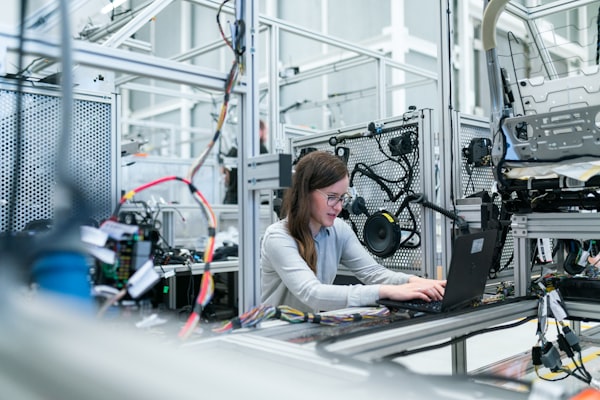 A robotic arm demonstrating complex movements, powered by various actuators.
Common Actuator Questions
What's the difference between a motor and an actuator?
A motor is a specific type of actuator that produces continuous rotational motion. An actuator is a broader term for any device that converts energy into physical motion, which can be rotational, linear, or even a simple on/off action like a solenoid. So, all motors are actuators, but not all actuators are motors.
How do I choose the right actuator for gripping?
For gripping, you'll typically look at servo motors (for precise, controlled closing/opening of fingers) or small linear actuators (for a strong, direct clamping force). Consider the weight and fragility of the objects you need to grip, and the required gripping force. Pneumatic grippers are also common in industrial settings for speed and power.
Can I make my own actuators?
Absolutely! Many hobbyists create simple actuators using motors, gears, and linkages. For example, a servo motor can be combined with a 3D-printed mechanism to create a custom gripper. Understanding the basic principles of motion conversion is key to DIY actuator design.
 A circuit board populated with various sensors and microchips, the "eyes and ears" of a robot.
How Do Robots See, Hear, and Feel?
Sensors are the robot's connection to the real world. Without them, a robot would be blind, deaf, and unable to react to its surroundings. They gather data about the environment and convert it into electrical signals that the robot's microcontroller can understand and process.
From detecting obstacles to measuring light levels, sensors provide the crucial input that allows a robot to make decisions and perform intelligent actions. The type of sensor you choose depends entirely on what information your robot needs to collect.
Some common sensor types include:
- Proximity Sensors: Detect if an object is nearby without physical contact (e.g., ultrasonic, infrared).
- Touch/Contact Sensors: Detect physical contact (e.g., bumper switches).
- Light Sensors: Measure ambient light or detect specific light sources (e.g., photoresistors, photodiodes).
- Temperature Sensors: Measure heat or cold.
- IMUs (Inertial Measurement Units): Combine accelerometers and gyroscopes to measure orientation, acceleration, and rotation.
For a deeper dive into specific sensor types and their applications, explore our Which Sensor Do I Need? A Quick Comparison guide.
The Sensor Data Loop
Ever wonder what happens after a sensor detects something? It's a continuous loop of sensing, processing, and acting.
When a sensor detects something (e.g., an ultrasonic sensor detects an obstacle), it sends an electrical signal to the robot's microcontroller. The microcontroller then interprets this signal based on its programming. For instance, if the signal indicates an obstacle is too close, the microcontroller might send a command to the motors to stop or reverse. This continuous feedback loop allows robots to react dynamically to their environment.
This process is fundamental to autonomous behavior. Without reliable sensor input, a robot cannot navigate, interact, or perform tasks effectively.
Connecting the Brain to the Brawn
Now that we've looked at motors, actuators, and sensors individually, how do they all work together? Imagine your robot's microcontroller (its "brain") as the central nervous system. It receives information from the sensors (the "eyes, ears, and touch"), processes it, and then sends commands to the motors and actuators (the "muscles and hands") to perform actions.
This connection involves wiring, power management, and programming. Each component needs to be correctly powered and connected to the right pins on your microcontroller. The code you write then dictates how the robot responds to sensor inputs by controlling its outputs.
Your Component Selection Checklist
Use this interactive checklist to ensure you're thinking through all the critical aspects when selecting components for your robot.
Key Considerations for Component Selection
0 of 5 completedUnderstanding the Numbers: What Specs Matter?
When browsing for components, you'll encounter many technical specifications. Here are some key numbers to keep an eye on, and what they mean for your robot's performance.
These numbers directly impact your robot's capabilities. For example, a higher torque motor can move heavier loads, while a higher frequency ultrasonic sensor might offer better resolution for obstacle detection.
Making Your Choices: A Practical Approach
Selecting the right motors, sensors, and actuators is a balancing act between your project's requirements, your budget, and your technical skill level. Don't aim for perfection on your first try; start with components that are well-documented and widely supported by the robotics community.
Consider the following:
Recommended Components for Beginners
Here are a few versatile components that are excellent starting points for many robotics projects:
Small, affordable, and easy to control, perfect for small robotic arms, camera gimbals, or actuating light mechanisms.
A staple for obstacle avoidance and distance measurement, offering reliable performance at a low cost for mobile robots.
Essential for controlling DC motors with your microcontroller, allowing you to manage speed and direction safely.
Ready for Your Next Step?
You've now got a solid grasp of the core components that bring robots to life. The next step is to understand how to power them and connect them to your robot's brain.
Choosing the Right Brain: Microcontrollers & SBCs
Learn about the different types of controllers that will orchestrate your robot's actions and process sensor data.
Explore Controllers →Powering Your Robot: Batteries & Power Management
Discover how to safely and efficiently power all your robot's components, from motors to sensors.
Manage Power →Your Robotics Project Adventure Starts Here!
Return to the main hub to explore more topics and plan your next exciting robotics build.
Back to Hub →Further Reading