

What You'll Learn
Sensor Fundamentals
Understand how different sensors perceive the world, from basic distance detection to complex environmental mapping.
Key Sensor Types
Dive into the specifics of ultrasonic, infrared, camera, IMU, and other specialized sensors, comparing their operational principles.
Selection Criteria
Learn the critical factors like range, accuracy, environment, and cost that will guide your sensor selection process.
Real-World Applications
Explore practical examples of how different sensors are deployed in various robotics projects, from simple obstacle avoidance to complex navigation.
 Sensors are the 'eyes and ears' of your robot, translating physical phenomena into electrical signals.
How Do Sensors "See" the World?
At its core, a robot sensor is a device that detects and responds to some type of input from the physical environment. Think of them as your robot's senses – sight, touch, hearing, and even balance. Without sensors, a robot is essentially blind and deaf, unable to interact meaningfully with its surroundings or complete complex tasks.
These inputs could be anything from light, heat, motion, pressure, or distance, to more complex data like images or sound. The sensor's job is to convert these physical phenomena into electrical signals that your robot's microcontroller can understand and process. This data then informs the robot's decisions and actions, enabling it to navigate, manipulate objects, or respond to commands.
A transducer is a device that converts energy from one form to another. In the context of robotics, most sensors are transducers because they convert physical energy (like sound waves, light, or pressure) into electrical energy. For example, an ultrasonic sensor converts electrical energy into sound waves and then converts the reflected sound waves back into electrical energy. This fundamental principle allows your robot to interpret its environment.
The Big Players: Common Sensor Types for Robotics
When you're building a robot, you'll quickly encounter a few sensor types that are workhorses in the field. Each has its own strengths and weaknesses, making them suitable for different tasks. Let's break down the most common ones.
Ultrasonic Sensors: The Bat's Sonar
Ultrasonic sensors work by emitting a high-frequency sound wave and then listening for the echo. By measuring the time it takes for the sound to return, they can calculate the distance to an object. This is similar to how bats navigate in the dark.
- Pros: Relatively inexpensive, good for detecting transparent objects (like glass), not affected by ambient light, decent range (typically 2cm to 4m).
- Cons: Can be affected by soft, sound-absorbing materials, wide beam angle can lead to false readings in cluttered environments, slower update rate compared to IR.
- Ideal Uses: Basic obstacle avoidance, distance measurement, parking assist systems, water level detection.
A classic, reliable, and affordable choice for basic distance sensing and obstacle avoidance in hobby robotics projects.
Infrared (IR) Sensors: The Heat Seeker
IR sensors typically work in two ways: either by emitting an infrared light beam and detecting its reflection (for distance/proximity) or by detecting ambient infrared radiation (for heat/presence). The reflected light's intensity or angle helps determine distance.
- Pros: Fast response time, compact size, good for short-range proximity detection, less susceptible to acoustic noise than ultrasonic.
- Cons: Highly affected by ambient light (especially sunlight), dark or highly reflective surfaces can cause inaccurate readings, shorter effective range than ultrasonic.
- Ideal Uses: Line following, edge detection, short-range obstacle avoidance, object counting, remote control receivers.
Known for its analog output and reliable performance over a 10-80cm range, excellent for precise short-to-medium distance measurements.
Camera Sensors: The Robot's Eyes
Camera sensors capture visual data, allowing robots to 'see' and interpret their environment much like humans do. This data can be processed for object recognition, facial detection, navigation, and even augmented reality applications.
- Pros: Rich data output (color, texture, shape), enables complex tasks like object tracking, facial recognition, simultaneous localization and mapping (SLAM), high resolution.
- Cons: Computationally intensive (requires powerful processing), sensitive to lighting conditions, privacy concerns, higher cost and complexity.
- Ideal Uses: Advanced navigation, object manipulation, security and surveillance, human-robot interaction, quality control in manufacturing.
IMU (Inertial Measurement Unit): The Sense of Balance
An IMU combines accelerometers, gyroscopes, and often magnetometers to measure a robot's orientation, velocity, and gravitational forces. It's crucial for understanding how your robot is moving in 3D space.
- Pros: Provides real-time orientation and motion data, essential for balancing robots, drones, and precise navigation, compact.
- Cons: Prone to drift over time (especially gyroscopes), requires complex filtering algorithms (Kalman filters) for accurate long-term data, sensitive to vibrations.
- Ideal Uses: Drone stabilization, self-balancing robots, gesture control, dead reckoning navigation, robotic arm control.
A popular and cost-effective integrated accelerometer and gyroscope, perfect for projects requiring orientation and motion sensing.
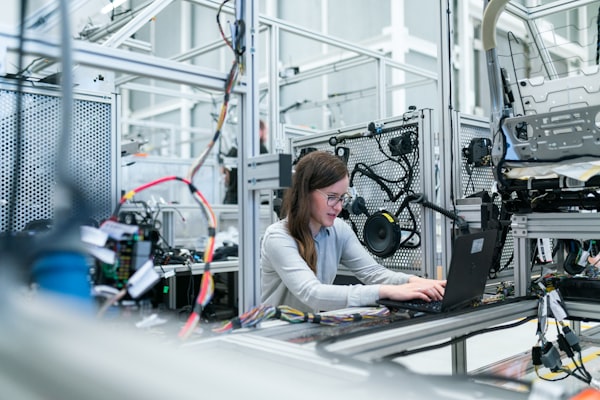 Lidar and force sensors enable robots to interact with their environment with greater precision.
What About More Specialized Sensors?
While the common sensors cover a lot of ground, many advanced robotics applications require more specialized tools. These sensors offer unique capabilities for specific challenges.
Lidar (Light Detection and Ranging): Uses pulsed laser light to measure distances, creating highly accurate 2D or 3D maps of the environment. Essential for autonomous vehicles and complex indoor navigation. It offers superior accuracy and range compared to ultrasonic or IR, but at a higher cost and computational demand.
Force/Touch Sensors: Detect physical contact and pressure. Crucial for robotic grippers to handle delicate objects without crushing them, or for robots to safely interact with humans. These can range from simple contact switches to sophisticated force-torque sensors.
Encoders: Measure the rotational position or speed of a motor shaft. They are vital for precise motor control, ensuring a robot moves exactly as intended. Without encoders, a robot's wheels might slip, or its arm might not reach the target accurately.
How Do I Choose the Right Sensor for My Project?
Selecting the perfect sensor isn't just about knowing what's available; it's about matching the sensor's capabilities to your project's specific needs. Consider these factors:
What's the primary goal for your robot's sensing?
For Obstacle Avoidance:
If your main goal is to prevent collisions, consider Ultrasonic or Infrared (IR) sensors. Ultrasonic sensors offer a good balance of range and cost, while IR sensors are faster for close-range detection. For more robust avoidance, especially in complex environments, a combination of both or even a simple camera for basic object detection can be effective.
Key factors: Range, speed, cost, environmental robustness.
For Environmental Mapping:
When your robot needs to understand its surroundings in detail, Lidar or Camera (Vision) sensors are your best bet. Lidar provides highly accurate distance data for 2D/3D mapping (SLAM), while cameras can identify objects, textures, and colors, offering rich contextual information. Depth cameras (like Intel RealSense) combine both for powerful 3D perception.
Key factors: Accuracy, data richness, processing power, cost.
For Object Manipulation:
To interact precisely with objects, Force/Touch Sensors are critical. They allow your robot to 'feel' how much pressure it's applying, preventing damage to delicate items. Camera sensors are also vital here for visual servoing and object recognition, ensuring the robot grasps the correct item in the right way.
Key factors: Sensitivity, precision, integration with grippers, feedback loop.
For Orientation & Movement:
If your robot needs to know its own position, speed, and direction, an IMU (Inertial Measurement Unit) is indispensable. It provides data on acceleration, angular velocity, and often magnetic heading. Encoders are also crucial for precise motor control and tracking wheel rotations for accurate odometry.
Key factors: Drift, update rate, filtering complexity, integration with motors.
Sensor Performance at a Glance
Understanding typical performance metrics helps set realistic expectations for your robot's capabilities.
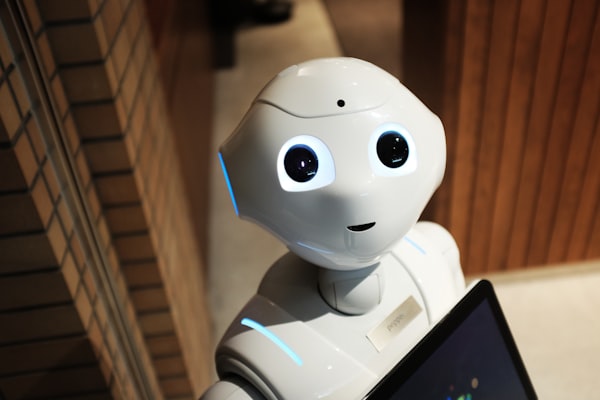 Robots use a variety of sensors to understand and interact with their environment.
Sensors in Action: Real-World Robotics Examples
Let's look at how these sensors come together in practical robotics projects:
Autonomous Vacuum Cleaners: These robots heavily rely on a combination of sensors. IR proximity sensors detect walls and furniture for gentle navigation, while ultrasonic sensors might be used for larger obstacle detection. More advanced models incorporate Lidar for precise room mapping and efficient cleaning paths, and even a small camera for visual docking or identifying specific debris.
Robotic Arms for Manufacturing: Precision is key here. Encoders on each joint ensure exact positioning and movement. Force/touch sensors on the gripper allow the arm to pick up delicate components without damage. High-resolution cameras with machine vision algorithms are used for quality inspection, identifying parts, and guiding assembly tasks.
Self-Balancing Robots: Think of a two-wheeled robot that stays upright. Its core is an IMU (Inertial Measurement Unit). The accelerometer detects tilt, and the gyroscope measures rotational speed. The robot's microcontroller constantly processes this data to adjust motor speeds, keeping the robot perfectly balanced. Without the IMU, it would simply fall over.
Understanding these real-world applications can help you visualize how different sensors contribute to a robot's overall functionality. For a structured approach to planning your own robot, check out our Building Your First Robot: A Step-by-Step Plan.
Ready to Choose? Your Sensor Selection Checklist
Before you finalize your sensor purchase, run through this quick checklist to ensure you've considered all the important aspects for your project.
Your Selection Checklist
0 of 6 completedTroubleshooting Common Sensor Issues
Even with the right sensor, you might encounter some hiccups. Here are common problems and how to approach them:
Why are my sensor readings noisy or inconsistent?
Noisy readings can stem from several sources. Check for electrical interference from motors or power lines; proper shielding and grounding can help. Environmental factors like strong ambient light for IR sensors or acoustic noise for ultrasonic sensors can also cause issues. Try averaging multiple readings in your code to smooth out fluctuations.
My sensor isn't detecting anything, or it's always detecting something. What's wrong?
First, verify your wiring connections against the datasheet. Incorrect power or data pins are common culprits. Next, check your code: Is the sensor initialized correctly? Are you reading the correct pins? For IR sensors, ensure there's no direct sunlight interfering. For ultrasonic, make sure the object is within its effective range and not too small or sound-absorbing. Sometimes, a simple restart of your microcontroller can resolve temporary glitches.
How do I deal with multiple sensors interfering with each other?
This is common with multiple ultrasonic or IR sensors. For ultrasonic, try staggering their activation times so only one sensor is transmitting at a time. For IR, physical separation or shielding can reduce crosstalk. In software, you can implement filtering or ignore readings that are clearly outliers. For more general troubleshooting tips, visit our Bringing Your Robot to Life: Motors, Sensors & Actuators page.
Keep Exploring the World of Robotics
Your journey into robotics is just beginning. Sensors are a fundamental building block, but there's always more to learn and build!
Bringing Your Robot to Life: Motors, Sensors & Actuators
A broader look at all the essential components that make your robot move and interact.
Building Your First Robot: A Step-by-Step Plan
Get a comprehensive framework for planning and executing your robotics projects.
Coding Your Robot: From Basics to Advanced Control
Learn how to write the code that brings your sensor data to life and controls your robot's actions.
Further Reading