

What You'll Explore in the World of Microcontrollers
Microcontroller boards are the unsung heroes of modern electronics, powering everything from smart home gadgets to complex industrial robots. If you're curious about building your own interactive projects, understanding these boards is your first crucial step. Here's what you'll discover in this comprehensive guide:
Demystifying the Basics
Understand what a microcontroller board is, its core components, and why it's essential for bringing your electronic ideas to life.
Comparing Popular Boards
Get a clear overview of popular options like Arduino, ESP32, and Raspberry Pi Pico, helping you see their strengths and ideal applications.
Choosing Your First Board
Learn the critical factors to consider when selecting a microcontroller board that perfectly matches your project's needs and your skill level.
Getting Started with Projects
Discover how to power your board, connect components, and write your first lines of code to make things happen.
 A typical microcontroller board, featuring a central processing unit, memory, and various input/output pins.
What Exactly is a Microcontroller Board and Why Do I Need One?
At its heart, a microcontroller board is a compact computer designed to control specific functions within a larger system. Think of it as the brain of a small, dedicated device. Unlike a general-purpose computer (like your laptop), which can run many different programs, a microcontroller is optimized to perform a single, repetitive task with precision and efficiency.
These boards integrate a microprocessor (the actual brain), memory (to store instructions and data), and input/output (I/O) peripherals all onto a single chip, often mounted on a user-friendly circuit board. This integration makes them incredibly versatile for tasks ranging from reading sensor data and controlling motors to managing complex communication protocols. If you're looking to automate a process, build a smart gadget, or create a robot, a microcontroller board is your fundamental building block. Want to dive deeper? Explore our detailed guide: What Exactly is a Microcontroller Board & Why Do I Need One?
Microcontrollers have become the go-to choice for hobbyists, educators, and professionals alike due to several compelling reasons:
- Accessibility: Boards like Arduino have simplified electronics, making it easy for beginners to get started without deep electrical engineering knowledge.
- Versatility: From blinking an LED to controlling a complex robotic arm, microcontrollers can be adapted to an enormous range of applications.
- Cost-Effectiveness: Many powerful microcontroller boards are incredibly affordable, making experimentation and prototyping accessible to everyone.
- Community Support: Large, active online communities provide a wealth of tutorials, example code, and troubleshooting help, ensuring you're never stuck alone.
- Compact Size & Low Power: Their small footprint and efficient power consumption make them ideal for embedded systems and battery-powered projects.
This combination of factors makes them perfect for learning, prototyping, and even deploying finished products.
 The fundamental cycle of a microcontroller: taking inputs, processing them, and generating outputs.
How Do Microcontrollers Work to Control Your Projects?
The magic of a microcontroller lies in its ability to execute a programmed set of instructions repeatedly and reliably. It follows a simple, yet powerful, cycle: Input → Process → Output.
- Input: The microcontroller receives information from the outside world through its input pins. This could be data from sensors (like temperature, light, distance), button presses, or signals from other devices.
- Process: The central processing unit (CPU) on the board takes this input data and processes it according to the firmware (the code) you've uploaded. It performs calculations, makes decisions, and manages data.
- Output: Based on its processing, the microcontroller sends signals out through its output pins to control other components. This could mean turning on an LED, moving a motor, displaying text on an LCD screen, or sending data to another device.
This continuous loop allows microcontrollers to react to their environment and control connected hardware in real-time. Understanding these fundamental features, like pins and ports, is key to successful project building. Learn more about these essential components in our guide: Exploring Common Microcontroller Board Features: Pins, Ports & Power.
Which Microcontroller Board is Right for My Project?
With so many options available, choosing the right microcontroller can feel overwhelming. The good news is that many popular boards are excellent starting points, each with unique strengths. Let's compare some of the most common choices you'll encounter:
Arduino: The Beginner's Best Friend
Arduino boards, like the popular Uno or Nano, are renowned for their ease of use and extensive community support. They are ideal for beginners due to their simplified programming environment (Arduino IDE) and a vast library of example code and tutorials. Arduino excels at projects requiring simple sensor readings, LED control, basic motor control, and general automation where Wi-Fi or Bluetooth connectivity isn't a primary concern.
Key Strengths: Extremely beginner-friendly, massive community and resources, robust and reliable for many tasks, great for learning fundamental electronics and programming concepts.
Ideal For: First-time electronics projects, educational settings, simple automation, controlling basic robotics, reading analog sensors.
The classic choice for beginners, offering a perfect balance of features, ease of use, and unparalleled community support for your first projects.
ESP32: The IoT Powerhouse
The ESP32 is a powerful, low-cost microcontroller with integrated Wi-Fi and Bluetooth capabilities, making it a favorite for Internet of Things (IoT) projects. It offers significantly more processing power and memory than most Arduino boards, allowing for more complex applications, data processing, and network communication. While slightly more advanced than Arduino for absolute beginners, its capabilities for connected devices are unmatched at its price point.
Key Strengths: Built-in Wi-Fi and Bluetooth, dual-core processor, excellent for IoT and network-connected projects, good for more advanced data logging and web server applications.
Ideal For: Smart home devices, remote sensor monitoring, web-controlled robots, cloud-connected projects, data streaming.
A versatile ESP32 development board, perfect for diving into IoT projects with its integrated Wi-Fi and Bluetooth capabilities.
Raspberry Pi Pico: Performance in a Tiny Package
The Raspberry Pi Pico, powered by the RP2040 chip, is a relatively new but highly capable microcontroller from the creators of the Raspberry Pi single-board computer. It offers excellent performance for its size and price, with a dual-core processor and ample memory. It's programmable in MicroPython and C/C++, providing flexibility for both beginners and experienced developers. While it lacks built-in wireless connectivity, its raw processing power and flexible I/O make it superb for projects requiring fast data processing or precise timing.
Key Strengths: High performance for its size, dual-core processor, flexible I/O, supports MicroPython and C/C++, very low cost.
Ideal For: Robotics, custom keyboard controllers, audio processing, embedded machine learning, projects needing fast computation without network connectivity.
The Pico W adds Wi-Fi to the powerful RP2040 chip, offering a fantastic balance of performance and connectivity for a wide range of projects.
For a more in-depth comparison to help you make an informed decision, check out our dedicated article: Arduino vs. ESP32 vs. Raspberry Pi: Which Board is Right for You?
 Careful planning and consideration of project requirements are crucial before selecting your board.
Choosing Your First Board: What Should You Consider?
Selecting your initial microcontroller board is a significant step. It's not just about raw power; it's about finding a board that aligns with your project goals, learning style, and budget. Here are the key factors to weigh:
Thinking through these points will significantly narrow down your options and lead you to a board that's a perfect fit. For a structured approach, use our guide: Choosing Your First Board: A Decision Framework for Beginners.
What's the primary goal of your first microcontroller project?
For Simple Lights & Sensors: Arduino is Your Go-To!
If your project involves basic inputs (buttons, simple sensors) and outputs (LEDs, buzzers), an Arduino board like the Uno is an excellent starting point. Its straightforward programming and vast resources make it ideal for learning the ropes without getting bogged down by complex features. You'll quickly grasp fundamental concepts and see your code come to life.
Includes everything you need to start with basic circuits, sensors, and actuators, perfect for beginners.
For IoT & Networked Devices: Embrace the ESP32!
If your vision includes connecting your project to the internet, sending data to the cloud, or controlling it remotely via Wi-Fi or Bluetooth, the ESP32 is your best bet. Its integrated wireless capabilities and robust processing power are perfectly suited for smart home applications, remote monitoring, and any project that needs to communicate with the digital world.
A popular and powerful ESP32 board with integrated Wi-Fi and Bluetooth, ready for your connected projects.
For Robotics & Precise Control: Consider Raspberry Pi Pico!
When your project demands fast, precise control over motors, servos, or complex timing, the Raspberry Pi Pico with its RP2040 chip offers excellent performance. Its dual-core processor and flexible I/O are fantastic for robotics, custom input devices, and applications where low latency and high computational speed are critical, even without built-in wireless.
The Pico H comes with pre-soldered headers, making it easier to connect to breadboards and components for robotics projects.
The Ubiquitous Impact of Microcontrollers
Microcontrollers are not just for hobbyists; they are the silent workhorses behind much of our modern world. Their widespread adoption highlights their efficiency, versatility, and critical role in technological advancement.
These numbers underscore the incredible reach and efficiency of microcontrollers, making them indispensable for innovation across industries.
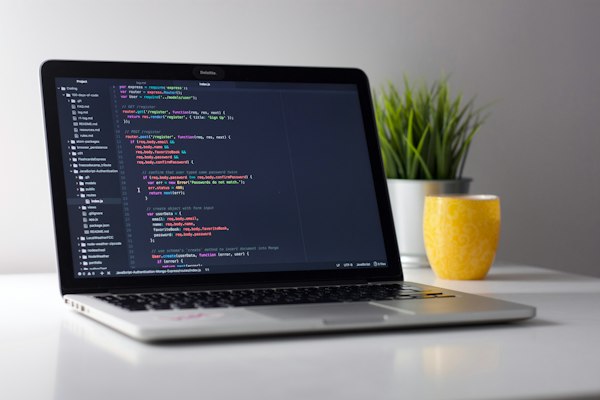 Writing firmware is how you tell your microcontroller what to do.
Bringing Your Ideas to Life: Programming & Beyond
Once you've chosen your board, the next exciting step is to program it. This involves writing 'firmware' – the specific instructions that tell your microcontroller how to behave. You'll typically use an Integrated Development Environment (IDE) on your computer to write, compile, and upload this code to your board.
Languages like C++, Python (especially MicroPython for boards like ESP32 and Pico), and even visual block-based programming are common. The learning curve is surprisingly gentle, especially with the wealth of online tutorials and examples available. As you progress, you'll learn to connect various sensors and actuators, expanding your project's capabilities exponentially. Ready to start coding? Our guide on Coding Your Microcontroller: A Beginner's Guide to Firmware is a great next step, along with Setting Up Your Development Environment: IDEs & Drivers.
Which component is typically NOT found integrated directly onto a microcontroller chip?
Continue Your Learning Journey
This hub is just the beginning! The world of microcontrollers is vast and exciting. We encourage you to explore the connected resources below to deepen your understanding and kickstart your next project.
Microcontroller vs. Microprocessor
Understand the fundamental differences between these two core computing components and when to use each. Read More →
Bringing Your Robot to Life
Discover how microcontrollers are specifically used to control movement, interpret sensor data, and manage power in robotic systems. Read More →
Project Planner Tool
Use our interactive tool to help you select the ideal microcontroller board based on your specific project requirements. Launch Tool →