What You'll Learn
Core Definitions
Understand the fundamental components and roles of both microprocessors and microcontrollers in modern electronics.
Key Differences
Pinpoint the critical distinctions in architecture, purpose, and typical applications that set them apart.
Project Suitability
Learn how to evaluate your project's needs to confidently select whether a microcontroller or microprocessor is the best fit.
Real-World Examples
Explore practical applications where each type of 'brain' excels, from simple sensors to complex computing.
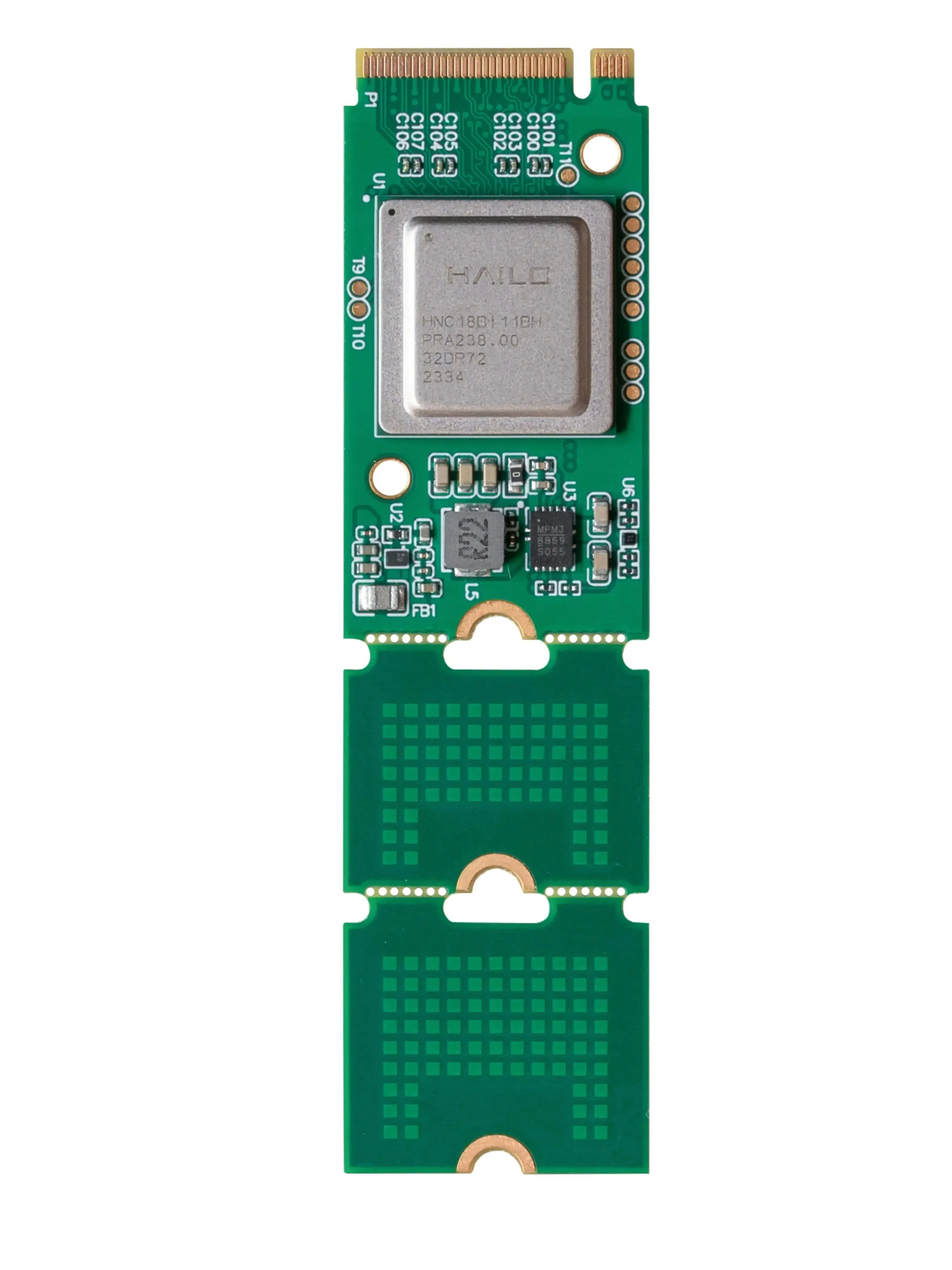
 A microprocessor, the central processing unit of a computer.
What Exactly is a Microprocessor?
Think of a microprocessor (often called a CPU, or Central Processing Unit) as the raw computing power of a computer. It's a single integrated circuit designed to perform arithmetic, logic, control, and input/output (I/O) operations. Crucially, a microprocessor needs external components like RAM (Random Access Memory), ROM (Read-Only Memory), and I/O controllers to function as a complete system.
These powerful chips are built for speed and flexibility, capable of running complex operating systems like Windows or Linux, handling multiple tasks simultaneously, and processing vast amounts of data. They are the 'brains' of your desktop computer, laptop, and even many smartphones, where their primary job is general-purpose computing.
Microprocessors typically feature a complex instruction set computer (CISC) or reduced instruction set computer (RISC) architecture, optimized for high clock speeds and parallel processing. They often include multiple cores, large cache memories, and advanced pipelining techniques to maximize throughput. This complexity allows them to execute millions or even billions of instructions per second, making them suitable for demanding applications like video editing, gaming, and scientific simulations.
While incredibly powerful, this raw processing capability comes at a cost: higher power consumption and the need for a sophisticated motherboard to integrate all the necessary external components. They are not typically designed for direct interaction with simple sensors or actuators without additional interfacing hardware.
 An Arduino board, a popular example of a microcontroller.
And What About a Microcontroller?
A microcontroller (MCU) is a compact, self-contained computer on a single integrated circuit. Unlike a microprocessor, an MCU integrates the CPU, memory (both RAM and ROM), and various input/output peripherals (like ADCs, timers, serial communication interfaces) all onto one chip. This 'all-in-one' design makes them ideal for embedded applications where space, power consumption, and cost are critical.
Microcontrollers are designed for specific, dedicated tasks rather than general-purpose computing. They excel at controlling a particular function or set of functions within a larger system, such as managing the motor in a washing machine, reading sensor data in a smart thermostat, or controlling the lights in a robotic arm. They typically run a single program repeatedly, often referred to as firmware.
Popular examples you might encounter in robotics include Arduino boards, ESP32, and many smaller, specialized chips. To learn more about these, check out our guide: What Exactly is a Microcontroller Board & Why Do I Need One?
Why Does This Distinction Matter for Your Robot?
Choosing between a microcontroller and a microprocessor is one of the most fundamental decisions you'll make when designing a robotic system. The wrong choice can lead to unnecessary complexity, higher costs, excessive power consumption, or insufficient performance. Understanding their core differences helps you optimize your robot's 'brain' for its specific mission.
Microcontroller: The Embedded Specialist
Microcontrollers are designed for embedded systems where they perform dedicated control functions. They integrate CPU, memory (RAM, Flash/EEPROM), and peripherals (GPIO, ADC, DAC, Timers, UART, SPI, I2C) on a single chip. This integration leads to lower power consumption, smaller form factor, and reduced system cost. They typically run simple, event-driven firmware and are excellent for tasks requiring direct hardware interaction and real-time responsiveness, like controlling motors, reading sensors, or managing simple displays.
Examples: Arduino Uno, ESP32, PIC microcontrollers. Ideal for: washing machines, remote controls, simple robots, sensor nodes.
Microprocessor: The General-Purpose Powerhouse
Microprocessors are the central processing units (CPUs) that require external memory (RAM, ROM) and peripheral chips to form a complete computing system. They are optimized for high-speed, general-purpose computing, capable of running complex operating systems and handling multiple applications simultaneously. Their strength lies in processing large datasets, complex algorithms, and managing rich user interfaces. They offer immense flexibility and computational power but at the cost of higher power consumption, larger board size, and increased system complexity.
Examples: Intel Core i7, AMD Ryzen, Raspberry Pi's Broadcom SoC. Ideal for: desktop computers, servers, advanced robotics with AI/vision, single-board computers.
Hybrid Systems: Best of Both Worlds
Many advanced robotic systems actually combine both microcontrollers and microprocessors. A powerful microprocessor (like a Raspberry Pi) might handle high-level tasks such as path planning, computer vision, and user interface, while a dedicated microcontroller (like an Arduino) manages low-level, real-time control of motors, servos, and sensor readings. This approach leverages the strengths of each, creating a robust and efficient system.
This is a common architecture in complex robots, drones, and industrial automation where both high-level intelligence and precise, real-time hardware control are necessary. It allows for modular development and easier debugging of specific functionalities.
 Modern electronics often integrate both types of chips.
Where Do You Find Them? Real-World Examples
Understanding where these components are typically used can solidify your grasp of their differences. Microcontrollers are ubiquitous in everyday life, often hidden from plain sight, performing their dedicated tasks without needing a user interface or complex operating system.
- Microcontroller Examples:
- Washing Machines: Controls motor speed, water levels, and cycle timing.
- Remote Controls: Interprets button presses and sends infrared signals.
- Key Fobs: Manages security protocols and wireless communication.
- Simple Robots: Controls basic movement, obstacle avoidance, and sensor feedback in educational or hobby robots.
- Smart Home Sensors: Reads temperature, humidity, or motion and transmits data.
- Microprocessor Examples:
- Desktop Computers/Laptops: Runs operating systems, applications, and handles all general computing tasks.
- Smartphones: Manages the operating system, apps, communication, and multimedia.
- Advanced Robotics: Powers complex AI, machine learning, computer vision, and navigation systems in autonomous vehicles or industrial robots.
- Servers: Processes vast amounts of data for websites and cloud services.
What's your project's primary need?
You likely need a Microcontroller!
For precise, real-time control of hardware components like motors, servos, and reading sensor data, a microcontroller is the ideal choice. It's efficient, cost-effective, and designed for these specific tasks. Consider boards like Arduino or ESP32. Explore our Board Features Explorer to see common MCU capabilities.
You're leaning towards a Microprocessor!
If your project requires running a full operating system (like Linux), managing a graphical user interface, or handling multiple complex applications, a microprocessor is necessary. Single-board computers like the Raspberry Pi, which integrate a powerful microprocessor, are excellent for these scenarios. They offer the flexibility and power for general-purpose computing.
A Microprocessor or a Hybrid System is best!
Tasks involving artificial intelligence, machine learning, complex computer vision, or heavy data processing demand the significant computational power of a microprocessor. For robotics, you might even use a hybrid approach: a powerful microprocessor for the 'brain' and a microcontroller for the 'nervous system' (motor control, sensor interfacing). Check out our Arduino vs. ESP32 vs. Raspberry Pi guide for more insights.
 Careful selection of components is key to project success.
Performance & Power: The Trade-offs
The choice between an MCU and an MPU often boils down to a balance of performance, power consumption, and cost. Microprocessors offer unparalleled computational horsepower, capable of executing billions of instructions per second (BIPS) and handling complex floating-point operations. However, this power comes with significant energy demands, often requiring active cooling and larger power supplies.
Microcontrollers, on the other hand, are designed for efficiency. While their clock speeds and processing capabilities are generally lower (often in the tens or hundreds of MHz), they consume significantly less power, making them ideal for battery-operated devices or applications where energy conservation is paramount. Their integrated nature also simplifies board design and reduces overall system cost, as fewer external components are needed.
Why This Matters for Your Project
Which component is typically better suited for running a full operating system like Linux?
Choosing the Right Brain for Your Project
Making the right choice depends entirely on your project's requirements. Here's a quick framework to guide your decision:
Recommended Boards for Your Projects
Based on whether you need a dedicated controller or a general-purpose computer, here are some popular options:
An excellent microcontroller for beginners and intermediate users, perfect for controlling motors, reading sensors, and simple automation tasks. Integrated Wi-Fi adds connectivity.
A powerful single-board computer with a microprocessor, ideal for running Linux, computer vision, AI applications, and complex robotics projects requiring significant processing power.
Keep Learning with iBuyRobotics
Ready to dive deeper into the world of robotics and embedded systems? Explore more of our learning resources:
What is a Microcontroller?
Get a foundational understanding of these essential components. Read the guide
Arduino vs. ESP32 vs. RPi
Compare popular boards to find the perfect fit for your project. See the comparison
Exploring Board Features
Understand pins, ports, and power on your development boards. Explore features
Further Reading