

What You'll Learn About Robot Sensors
What Sensors Are
Get a clear, jargon-free definition of robot sensors and understand their fundamental purpose in any robotic system.
Why Robots Need Them
Explore the critical reasons why sensors are indispensable for robot autonomy, safety, and effective interaction with their surroundings.
How Sensors Work
Unpack the basic principles of sensor operation, from detecting physical changes to converting them into usable electrical signals.
Key Sensor Types
Get an overview of the most common categories of robot sensors and their typical applications in real-world robotics.
 Sensors are the critical interface between a robot's digital brain and the physical world.
What Exactly Is a Robot Sensor?
At its core, a robot sensor is a device that detects and responds to some type of input from the physical environment. Think of them as the robot's "sense organs" – its eyes, ears, nose, and touch receptors. Just like humans use their senses to understand the world around them, robots rely on sensors to gather information.
This information isn't just raw data; it's crucial input that allows the robot's control system (its "brain") to make informed decisions. Without sensors, a robot would be operating blindly, unable to react to changes, avoid obstacles, or even know where it is. They convert physical phenomena – like light, sound, temperature, distance, or pressure – into electrical signals that the robot's computer can understand and process.
Many sensors are built around a principle called transduction. A transducer is any device that converts one form of energy into another. In the context of robotics, a sensor's transducer element takes a physical quantity (like light intensity or distance) and converts it into an electrical signal (voltage or current). For example, a thermistor (a temperature sensor) changes its electrical resistance based on temperature, effectively transducing thermal energy into electrical resistance. This electrical change is then measured and interpreted by the robot's microcontroller.
Understanding transducers helps us appreciate the fundamental engineering that allows robots to perceive the world in such diverse ways, from detecting a faint light source to precisely measuring the force of a grip.
 Sensors enable robots to safely and effectively interact with their environment, from industrial tasks to delicate handling.
Why Does My Robot Need Sensors?
Imagine trying to navigate a room blindfolded. You'd bump into things, get lost, and be unable to perform even simple tasks. A robot without sensors is in a similar predicament. Sensors are not just an add-on; they are fundamental to a robot's ability to operate effectively and autonomously.
Here’s why they are absolutely essential:
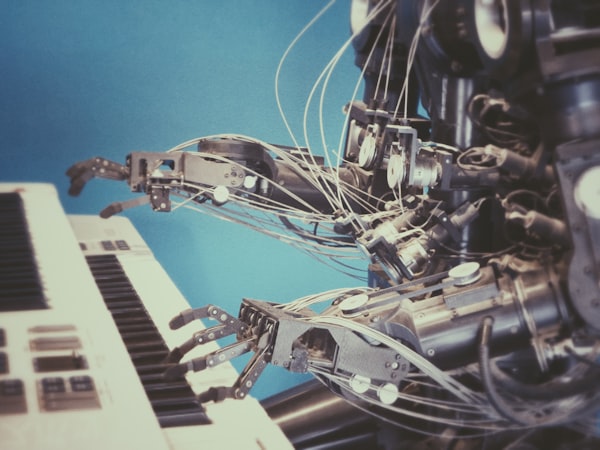
 The internal wiring of a robot often reveals the intricate network of sensors feeding data to its central processor.
How Do Robot Sensors Actually Work?
The operation of a robot sensor can generally be broken down into three main steps: detection, transduction, and signal output. First, the sensor's sensitive element detects a specific physical phenomenon – whether it's a change in light, temperature, distance, or pressure. This detection is often based on fundamental physics principles, like emitting sound waves and listening for echoes (ultrasonic sensors) or measuring changes in electrical resistance.
Once detected, this physical input is converted into an electrical signal. This conversion is the job of the transducer we discussed earlier. The electrical signal can be either analog or digital. Analog signals are continuous, varying smoothly over a range, much like a dimmer switch. Digital signals are discrete, representing information as distinct ON/OFF states, like a light switch. The robot's microcontroller then receives and interprets this electrical signal, translating it into meaningful data it can use for its programming and decision-making processes.
What is the primary function of a robot sensor?
The Impact of Smart Sensing: Key Metrics
 A diverse array of sensors, each designed to detect a specific environmental characteristic.
Exploring the Main Categories of Robot Sensors
The world of robot sensors is vast and varied, with each type designed to gather specific information. While the underlying principle of converting physical input to electrical signals remains, the methods and applications differ greatly. Understanding these categories is the first step in selecting the right tools for your robot's perception system.
For a comprehensive overview, you can dive into our Unlock Your Robot's Senses: The Ultimate Guide to Perception. But for now, let's look at the foundational types:
- Distance Sensors: These measure the proximity of objects, crucial for obstacle avoidance and navigation. Examples include ultrasonic, infrared (IR), and LiDAR sensors.
- Motion Sensors: These detect movement, orientation, and acceleration. Accelerometers, gyroscopes, and magnetometers (often combined into IMUs - Inertial Measurement Units) fall into this category.
- Force & Touch Sensors: Allowing robots to "feel," these sensors measure pressure, contact, and grip strength, essential for delicate manipulation and safe human interaction.
- Vision Sensors: Cameras and optical sensors enable robots to "see" and interpret visual information, recognizing objects, colors, and patterns.
- Environmental Sensors: These include sensors for temperature, humidity, light intensity, and gas detection, allowing robots to monitor their surroundings.
What kind of sensing are you most interested in for your robot?
Great for Navigation and Safety!
If you're focused on distance, you'll want to explore ultrasonic sensors (good for basic obstacle detection), infrared (IR) sensors (short-range, simple), and LiDAR (high-precision mapping). These are critical for robots that need to move autonomously in dynamic environments. Check out our How Do Robots See Obstacles? Understanding Distance Sensors guide for more.
Essential for Understanding Robot Movement!
For movement and orientation, you'll be looking at accelerometers (measure acceleration), gyroscopes (measure angular velocity), and magnetometers (measure magnetic fields for heading). Often, these are combined into an Inertial Measurement Unit (IMU) for comprehensive motion tracking. Learn more in our How Do Robots Know Where They Are & How Fast They're Moving? article.
Unlock Advanced Robot Intelligence!
Visual perception opens up a world of possibilities, from object recognition and tracking to color detection and facial recognition. Cameras are the primary tool here, often combined with advanced computer vision algorithms. Explore more in How Do Robots Interpret the World Visually? Cameras, Color & Light Sensors.
Quick Comparison: Sensor Categories at a Glance
To help you visualize the differences, here's a simplified comparison of some common sensor categories:
| Feature | Distance Sensors | Motion Sensors | Force & Touch Sensors | Vision Sensors |
|---|---|---|---|---|
| What it Measures | Proximity, range to objects | Acceleration, rotation, orientation | Pressure, contact, weight | Light, color, patterns, objects |
| Common Use Case | Obstacle avoidance, mapping | Navigation, balancing, gesture control | Grasping, collision detection, safety | Object recognition, line following, facial detection |
| Typical Output | Distance (cm/mm), presence | Angular velocity, acceleration (m/s²), heading | Force (N), pressure (Pa), binary contact | Image data (pixels), color values, object coordinates |
| Example Sensor | Ultrasonic, IR, LiDAR | Accelerometer, Gyroscope, IMU | FSR (Force Sensing Resistor), Microswitch | Camera, Color Sensor |
Choosing the Right Sensor for Your Project
Selecting the perfect sensor isn't a one-size-fits-all decision. It depends heavily on your robot's specific application and the environment it will operate in. Here are some key factors to consider:
- Environment: Will your robot operate indoors or outdoors? Is it dusty, wet, or brightly lit? Some sensors perform poorly in certain conditions (e.g., ultrasonic sensors in soft materials, IR sensors in direct sunlight).
- Required Accuracy & Precision: How precise does your robot's perception need to be? Measuring a few centimeters for obstacle avoidance is different from needing sub-millimeter accuracy for fine manipulation.
- Range: What is the maximum and minimum distance your sensor needs to detect? A short-range touch sensor is useless for long-range navigation.
- Cost & Complexity: More advanced sensors often come with a higher price tag and require more complex data processing. Balance your needs with your budget and technical capabilities.
- Power Consumption: Battery-powered robots need energy-efficient sensors. High-power sensors can quickly drain your robot's power source.
- Data Processing: Consider the computational resources required to process the sensor data. A simple binary switch is easy; a high-resolution camera stream requires significant processing power.
Perfect for beginners, this kit includes ultrasonic, IR, and light sensors to get your robot perceiving its environment right away. Ideal for learning the fundamentals discussed in this guide.
Your Sensor Selection Checklist
Use this interactive checklist to ensure you've considered all the critical aspects before committing to a sensor for your robot project.
Before You Buy: Sensor Checklist
0 of 6 completedReady to Dive Deeper into Robot Senses?
Understanding what robot sensors are and why they're essential is just the beginning. The world of robotic perception is rich with fascinating technologies and practical applications. Continue your learning journey with these related resources:
Unlock Your Robot's Senses: The Ultimate Guide to Perception
Explore our central hub for all things sensors, covering every type and application in detail.
Analog vs. Digital Sensors: What's the Difference for My Robot?
Understand the crucial distinction between analog and digital signals and how it impacts your sensor choice.
Robot Sensor Dictionary: Understand Key Terms
Demystify common sensor terminology with our comprehensive glossary of essential robotics terms.