Why a Robot Sensor Dictionary Matters
Robots rely on sensors to understand their environment, just like we rely on our senses. But diving into the world of robotics can feel like learning a new language, especially when it comes to sensor terminology. This dictionary is designed to be your plain-English guide, breaking down complex terms into understandable concepts so you can confidently build, program, and troubleshoot your robotic projects.
Clear Definitions
Get straightforward explanations for common and advanced sensor terms, cutting through the technical jargon.
Real-World Context
Understand how each sensor term applies to actual robotic applications and scenarios, making learning practical.
Practical Applications
Discover which sensors are best suited for tasks like obstacle avoidance, navigation, or object manipulation.
Build Confidence
Gain the foundational knowledge to confidently choose, integrate, and troubleshoot sensors for your next robot.
 Understanding the fundamental principles behind how sensors work is key to effective robotics.
What Are the Fundamental Sensor Concepts?
Before diving into specific sensor types, it's helpful to grasp some core ideas that apply across the board. These concepts dictate how a sensor interacts with the physical world and translates that interaction into data your robot can use.
One of the first distinctions you'll encounter is between analog and digital sensors. Analog sensors provide a continuous range of values, like a dimmer switch, reflecting subtle changes in the environment. Digital sensors, on the other hand, output discrete values, typically just "on" or "off," similar to a light switch. The choice between them often depends on the precision and type of information your robot needs.
Resolution: This refers to the smallest change a sensor can detect in the quantity it's measuring. For example, a temperature sensor with 0.1°C resolution can detect changes of one-tenth of a degree, while one with 1°C resolution can only detect whole degree changes. Higher resolution generally means more detailed data.
Accuracy: Accuracy describes how close a sensor's measurement is to the true value of the quantity being measured. A sensor might have high resolution but low accuracy if its readings are consistently off by a certain amount. Both resolution and accuracy are crucial for reliable robot performance.
How Do Robots Measure Distance and Detect Objects?
Distance and proximity sensors are fundamental for a robot's ability to navigate its environment without bumping into things. They provide the crucial data needed for obstacle avoidance, mapping, and even precise positioning. Understanding their differences is key to choosing the right one for your project. For a deeper dive, explore our guide to distance sensors.
What is an Ultrasonic Sensor?
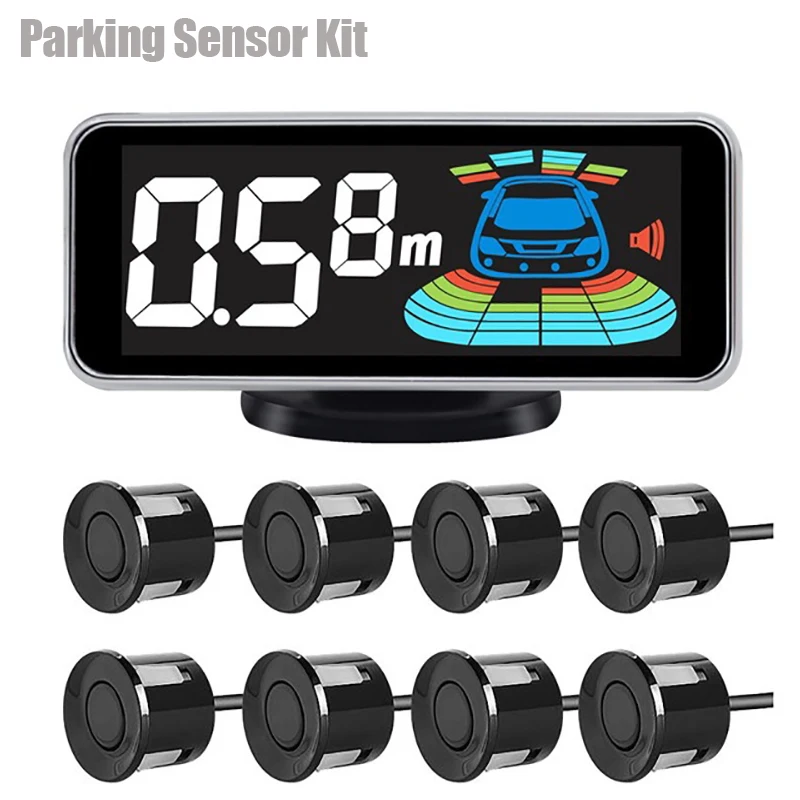
Ultrasonic Sensor: These sensors work by emitting high-frequency sound waves (beyond human hearing) and then listening for the echo. By measuring the time it takes for the sound to travel to an object and return, the sensor can calculate the distance. They are excellent for detecting objects regardless of color or transparency and work well in various lighting conditions. However, they can be affected by soft, sound-absorbing materials or strong air currents.
What is an Infrared (IR) Sensor?
Infrared (IR) Sensor: IR sensors typically consist of an IR LED (emitter) and an IR photodiode (detector). They work in two main ways: by detecting reflected IR light from an object (for proximity sensing) or by detecting the heat signature of an object (for thermal sensing). For proximity, the amount of reflected light indicates distance. They are compact and cost-effective but can be influenced by ambient light, object color (darker objects absorb more IR), and surface reflectivity.
What is Lidar?
Lidar (Light Detection and Ranging): Lidar sensors use pulsed laser light to measure distances. They emit laser pulses and measure the time it takes for the light to return to the sensor, similar to how ultrasonic sensors use sound. Lidar can create highly detailed 2D or 3D maps of an environment, offering superior accuracy and range compared to IR or ultrasonic sensors. This makes them invaluable for autonomous vehicles and complex mapping tasks, though they are generally more expensive.
Which sensor is generally best for creating a detailed 3D map of a large room?
Ideal for hobbyists and educational projects requiring accurate 2D mapping and obstacle detection in indoor environments.
 Motion sensors are crucial for a robot to understand its own movement and orientation in space.
How Do Robots Know Where They Are and How They're Moving?
For a robot to navigate, manipulate objects, or even just stand upright, it needs to understand its own motion and orientation. This is where motion and orientation sensors come into play. They provide data about acceleration, rotation, and position changes, forming the backbone of many navigation systems. Dive deeper into these components with our guide to motion sensors.
IMU (Inertial Measurement Unit): An IMU is a combination of multiple sensors, typically an accelerometer and a gyroscope, and sometimes a magnetometer. It measures a robot's specific force (acceleration), angular rate (rotation), and sometimes magnetic field. This data is then processed to determine the robot's orientation (pitch, roll, yaw) and velocity. IMUs are essential for balancing robots, drones, and any system requiring precise motion tracking.
Accelerometer: This sensor measures non-gravitational acceleration. In simpler terms, it tells you how fast your robot is speeding up or slowing down in a particular direction. It can also detect tilt relative to gravity, making it useful for determining orientation when stationary.
Gyroscope: A gyroscope measures angular velocity, or how fast an object is rotating around an axis. This is critical for maintaining stability and controlling turns in mobile robots and drones. Unlike accelerometers, gyroscopes are not affected by gravity, making them ideal for measuring rotational motion independently.
Encoder: Encoders are typically attached to motors or wheels and measure rotational position or velocity. They work by generating pulses as a shaft rotates, which can then be counted to determine distance traveled or speed. Encoders are vital for precise motor control and odometry (estimating a robot's position based on wheel movements).
How Do Robots "Feel" and Interact Physically?
Just as humans use their sense of touch to interact with the world, robots use force and touch sensors to detect physical contact, measure pressure, and understand interaction forces. These sensors are crucial for tasks like gripping objects, safe human-robot collaboration, and detecting collisions. For more detailed information, check out our guide to force and touch sensors.
What kind of physical interaction does your robot need to detect?
For Light Touch & Pressure: Force Sensitive Resistors (FSRs)
FSR (Force Sensitive Resistor): An FSR is a resistive sensor that changes its resistance depending on the amount of pressure applied to its surface. The harder you press, the lower its resistance. They are thin, flexible, and relatively inexpensive, making them ideal for detecting light touches, grip pressure, or even creating simple touch interfaces. They don't provide precise force measurements but are excellent for detecting presence or relative pressure changes.
For Weight & Precise Force Measurement: Load Cells
Load Cell: A load cell is a transducer that converts a force into an electrical signal. They are highly accurate and are commonly used for measuring weight, tension, compression, and torque. Load cells are found in industrial scales, robotic grippers requiring precise force feedback, and even in some medical devices. They are more robust and offer greater precision than FSRs but are also generally larger and more expensive.
For Simple Contact Detection: Tactile Sensors / Limit Switches
Tactile Sensor: This is a broad term for any sensor that detects physical contact. It can range from simple push buttons or limit switches (which detect binary contact: "pressed" or "not pressed") to more complex arrays that can map pressure distribution. Simple tactile sensors are perfect for collision detection, end-stop detection for robotic arms, or confirming an object has been grasped.
Enhance your robot's grip with this flexible FSR array, providing feedback on object presence and pressure for delicate handling.
 Cameras and light sensors give robots the ability to "see" and interpret visual information.
How Do Robots Interpret the Visual World?
Giving a robot the ability to "see" opens up a vast array of possibilities, from recognizing objects and reading barcodes to navigating complex environments. Vision, color, and light sensors are the robot's eyes, providing rich data about its surroundings. Our guide to vision and color sensors offers a deeper exploration.
Camera (Vision Sensor): A camera captures images or video, providing a wealth of visual information. In robotics, cameras are used for object recognition, facial detection, navigation (SLAM - Simultaneous Localization and Mapping), quality control, and augmented reality applications. They range from simple webcams to high-resolution stereo cameras that can perceive depth.
Photodiode: A photodiode is a semiconductor device that converts light into an electrical current. The amount of current produced is proportional to the intensity of the light hitting it. They are often used in simple light detection circuits, optical encoders, and as components in more complex light sensors.
RGB Sensor: An RGB (Red, Green, Blue) sensor is a type of color sensor that measures the intensity of red, green, and blue light components separately. By combining these values, the sensor can determine the color of an object or light source. These are commonly used in line-following robots (to detect colored lines), object sorting, and ambient light color adjustment.
Lux Sensor (Ambient Light Sensor): A lux sensor measures the intensity of ambient light, typically in lux units. This information can be used by robots to adjust screen brightness, activate headlights in low-light conditions, or even inform navigation strategies (e.g., avoiding brightly lit areas if sensitive to glare).
Understanding Sensor Performance Metrics
Beyond just knowing what a sensor does, understanding its key performance characteristics helps you choose the right tool for the job and anticipate its behavior in your robot.
Accuracy: How close the sensor's measurement is to the true value. A ±0.5% accuracy means the reading will be within 0.5% of the actual value. Resolution: The smallest change a sensor can detect. A 1mm resolution means it can distinguish between objects 1mm apart. Refresh Rate: How many times per second the sensor updates its readings (e.g., 100Hz means 100 updates/second). Higher is generally better for dynamic environments. Latency: The delay between an event occurring and the sensor reporting it. Low latency (e.g., 50ms) is crucial for real-time control and fast reactions.
Bringing Your Robot's Senses to Life
Understanding these sensor terms is the first step towards building more intelligent and capable robots. Each sensor type offers unique advantages and limitations, and the best robotic systems often combine several different sensors to create a comprehensive perception of their environment. By mastering this vocabulary, you're well on your way to designing robots that can truly interact with the world around them.
Ready to explore further? Our Ultimate Guide to Robot Perception is your next stop for deeper insights and practical applications.
Your Sensor Understanding Checklist
0 of 5 completedContinue Your Learning Journey
Ready to apply what you've learned? Explore more in-depth guides and practical tutorials:
Unlock Your Robot's Senses
The ultimate hub for all things robot perception, guiding you through every sensor type.
What Exactly Is a Robot Sensor?
Start with the fundamentals: what sensors are, how they work, and why your robot needs them.
IR vs. Ultrasonic vs. Lidar
Compare the most common distance sensors to choose the best for obstacle avoidance.