

What You'll Learn in This Guide
Unboxing & Inspection
Discover how to safely unbox your robot and perform a thorough initial inspection to ensure all components are present and undamaged.
Step-by-Step Assembly
Follow our detailed, interactive instructions to correctly assemble your humanoid robot, connecting limbs, sensors, and power systems.
Initial Power-On & Calibration
Learn the safe procedures for powering on your robot for the first time and performing essential calibration for stable operation.
Software & Connectivity
Get guidance on installing necessary software, drivers, and establishing connectivity for remote control and programming.
 Organizing your workspace with the right tools is key for a smooth setup.
What Do You Need Before You Start?
Before you even open the box, a little preparation goes a long way. Setting up your humanoid robot requires a clean, organized workspace and a few basic tools. Think of it like preparing for a delicate surgery – precision and order prevent headaches later on.
Ensure you have ample space, good lighting, and a stable surface. This minimizes the risk of dropping small components or misplacing crucial parts during assembly. Having everything ready beforehand makes the process much more enjoyable and efficient.
Your Pre-Setup Checklist
0 of 7 completed Each component should be accounted for and inspected for any signs of damage.
Unboxing Your Humanoid: First Impressions Matter
The moment has arrived! Carefully open your robot's packaging. Most manufacturers design their packaging to protect delicate components, so take your time and follow any instructions printed on the box itself. Avoid using sharp objects aggressively that could scratch or damage the robot inside.
Once opened, gently remove each component and lay them out on your prepared workspace. Refer to your robot's parts list in the manual and verify that every piece is present. This is also the time to visually inspect each part for any manufacturing defects, loose wires, or shipping damage. If you find anything amiss, contact iBuyRobotics support immediately before proceeding with assembly.
Assembling Your Humanoid: A Guided Process
Assembling a humanoid robot can feel like building a complex puzzle, but with a systematic approach, it's a rewarding experience. Most humanoid kits follow a modular design, allowing you to connect limbs, torso, and head sections sequentially. Pay close attention to cable routing and connector types – forcing connections can cause irreversible damage.
Remember that precision is key, especially when dealing with servo motors and joint alignments. Misaligned joints can lead to inefficient movement, increased wear, and even damage to the robot's structure. Take your time, double-check each step, and don't hesitate to consult your robot's specific manual for detailed diagrams.
Attach the Lower Limbs (Legs)
Begin by identifying the left and right leg assemblies. Carefully connect them to the robot's pelvic or hip frame. Ensure that all servo motor cables are routed correctly and securely plugged into their designated ports on the main control board or a sub-controller. Use the provided screws and fasteners, tightening them just enough to be secure without overtightening, which can strip threads or crack plastic. Verify that the joints can move freely through their intended range of motion before proceeding.
Connect the Torso and Upper Body
Next, attach the main torso section to the hip assembly. This often involves connecting a central spine or frame. Be mindful of any internal wiring harnesses that need to pass through the torso. Secure the torso firmly, as it will bear the weight of the upper limbs and head. Some models may require connecting additional power or data lines between the lower and upper body sections at this stage.
Mount the Upper Limbs (Arms)
Attach the left and right arm assemblies to the shoulder joints on the torso. Similar to the legs, ensure all servo cables are correctly connected and routed to prevent pinching or strain during movement. Test the range of motion for each arm joint. If your robot has hands or grippers, these are typically attached to the forearm sections, often with smaller, more delicate connections.
Install the Head and Sensors
The head often houses critical sensors like cameras, microphones, and sometimes a display. Carefully connect the head to the neck joint, ensuring all sensor cables are properly plugged into the main control board. These connections are often very small and require a delicate touch. Double-check that the head can articulate smoothly without snagging any wires. This is also the time to install any external sensors or covers as specified in your manual.
Final Checks and Cable Management
Before closing up any panels, perform a final visual inspection of all connections. Ensure no cables are loose, pinched, or obstructing joint movement. Use cable ties or clips if provided to manage internal wiring neatly. Close all access panels and secure them with the remaining screws. Your robot should now be physically assembled and ready for its first power-on. Remember, a well-managed internal wiring system is crucial for long-term reliability and ease of future maintenance.
This kit includes all the essential small screwdrivers, tweezers, and anti-static tools you'll need for delicate robot assembly, ensuring you have the right equipment for every connection.
 Always ensure your robot is on a stable surface before powering it on for the first time.
Powering On: Your Robot's First Breath
With assembly complete, it's time for the exciting moment: powering on your humanoid robot. Before you hit that switch, ensure the robot is placed on a stable, flat surface, preferably with some clear space around it. This prevents accidental falls if a motor twitches unexpectedly during initial boot-up. Connect the power adapter securely to the robot and then to a wall outlet.
Most humanoid robots have a specific power-on sequence. This often involves a main power switch, followed by a system boot-up indicated by LEDs or a display. Listen for any unusual sounds or observe any error codes. A successful boot usually means the robot enters a default 'idle' or 'standby' pose, ready for further instructions. If your robot doesn't power on, or shows immediate errors, refer to the Troubleshooting Common Humanoid Robot Issues guide.
Your humanoid robot is a marvel of engineering, integrating several key systems. The main control board acts as the brain, processing commands and coordinating movements. Servo motors in each joint provide the power and precision for articulation. Sensors (like IMUs, force sensors, and cameras) provide feedback about the robot's environment and its own state. Finally, the battery management system ensures stable power delivery. Understanding these core components, as detailed in our Understanding Robot Anatomy guide, will greatly assist in setup and future maintenance.
 Precise joint calibration ensures smooth and accurate movements.
Calibration & Basic Movement: Finding Balance
Once powered on, your robot will likely need initial calibration. This process teaches the robot its 'zero' position or home pose, ensuring that all joints are correctly aligned and that the robot can maintain balance. Calibration procedures vary by model, but often involve manually moving joints to specific positions or running an automated calibration routine through companion software.
Accurate calibration is fundamental for stable walking, precise arm movements, and overall performance. Without it, your robot might lean, stumble, or execute commands inaccurately. Follow your manual's instructions meticulously. After calibration, attempt some basic movements – a simple stand, sit, or arm wave – to confirm functionality. This is a great first step before diving into more complex programming tasks.
Why is initial joint calibration crucial for a humanoid robot?
Key Specifications for Initial Setup Success
These general specifications highlight the precision and power requirements common in humanoid robot systems. Always refer to your specific model's documentation for exact values.
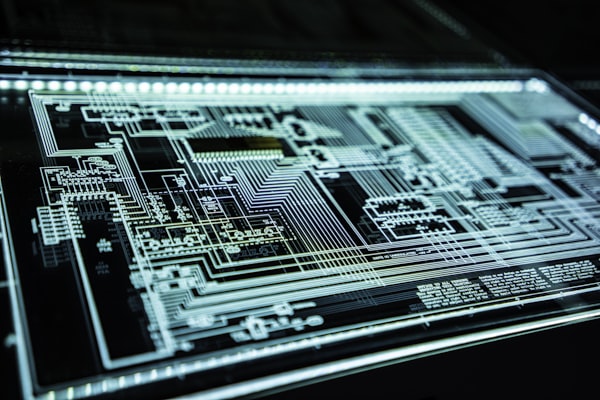 Connecting your robot to a computer is the gateway to advanced control and programming.
Software Installation & Connectivity: Bridging the Gap
Your humanoid robot isn't truly alive until it can communicate with you. This typically involves installing proprietary software, drivers, and potentially a development environment on your computer. Most manufacturers provide a CD, USB drive, or a download link for their software suite. Ensure your operating system meets the minimum requirements.
Connectivity is usually established via USB, Ethernet, or Wi-Fi. Follow the software's instructions to connect your robot. This step often includes firmware updates, which are crucial for optimal performance and access to the latest features. Once connected, you should be able to see your robot's status, monitor sensor data, and issue basic commands from your computer. This is where the real fun of interaction begins, whether you're exploring pre-programmed behaviors or starting your own custom scripts.
Our comprehensive software suite provides intuitive tools for humanoid robot control, programming, and simulation, compatible with most iBuyRobotics humanoid models.
What If Something Goes Wrong? Initial Troubleshooting
Even with the best preparation, sometimes things don't go exactly as planned. Don't panic! Many initial setup issues are minor and easily resolved. Here are a few common scenarios:
What's Next After Initial Setup?
Congratulations! Your humanoid robot is now assembled, powered on, and communicating. This is just the beginning of your journey. The next steps involve exploring its capabilities and making it truly your own.
If you're looking for a robust, highly programmable humanoid robot to take your skills to the next level, the Alpha Series offers advanced capabilities and extensive customization options.
Continue Your Humanoid Journey
DIY vs. Pre-Built
Still deciding on your next robot? Explore the pros and cons of building your own versus buying a ready-made humanoid.
Read More →Programming Your Humanoid
Ready to give your robot commands? Dive into the basics of programming and bring your humanoid to life with custom actions.
Start Programming →Troubleshooting Common Issues
Encountering a problem? Our guide helps you diagnose and fix common issues with your humanoid robot.
Get Help →